Welcome back to the VXOC FORUM.
Sorry for our lack of support over the last year but MYBB is back and so are we.
Let's get the forum buzzing again... (March 25, 2022)x
Posted by: ChrisKnottIns - 19:th-Jun-2017, 11:42:28 - Forum: Chris Knott Insurance
- No Replies
2017 Virtual Show & Shine Competition :: Chris Knott
Hi,
It's been a couple of years since we last ran a Virtual Show & Shine competition on social media so we'd love to offer one again this Summer with a fitting prize up for grabs.
HOW TO ENTER
Simply post pics of your car on either OUR Facebook or Twitter for the chance to WIN a great prize - worth £156.
Facebook - https://www.facebook.com/ChrisKnottIns
Post your pic, tag 'Chris Knott Insurance' in the comments (you might need to LIKE our page to do that), tag this club and use the hashtag #ShowShine2017.
The emphasis really is on the 'shine' this year. It may be your own interpretation of 'shine' such as 'sunshine' (maybe a pic of your car on holiday) or simply a highly polished vehicle. Be as creative as you can.
We're really looking forward to seeing all your cars - whether they're standard or modified. And the pic doesn't have to show your whole car - it's up to you.
THE PRIZE
We're offering an Auto Finesse detailing kit as the prize for the winning photo - 14 items of high-quality car cleaning product worth £156:
1 x Gloss/Satin 500ml – Tyre Dressing
1 x Waffle cloth
1 x Lather 500ml – PH Neutral Car Shampoo
1 x Imperial 500ml – Wheel Cleaner
1 x Tripple 500ml – All-in-one Polish
1 x Crystal 250ml – Glass Cleaner
1 x Revive 250ml - Trim Dressing
1 x Finale 500ml – Quick detailer
1 x Duo Edgeless – Microfibre Cloth
1 x Aqua deluxe – Drying Towel
1 x Clay Bar
1 x Glide 500ml – Clay Bar Lube
1 x Wash Mitt
1 x Kit bag
CLOSING DATE
We'll be assessing all the entries when we get back from holidays and you've had plenty of time to submit your pics. Therefore, we're looking at mid-September - the 14th to be exact and then we'll announce the winner on Monday 18th September.
IMG_0366.JPG (Size: 45.8 KB / Downloads: 28)
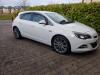
Can some please tell me if this is facelift or pre facelift thanks IMG_0366.JPG (Size: 45.8 KB / Downloads: 28)
Hey guys! Trying to update from navi 600 to navi 900 managed to install the stuff from the memory stick but I can't do the stuff from the disc. I burned the disc with windows 7 manual burning. That is the disc
And the file which I need to upload on the disc is that one, right?
Hello everyone Had my Astra since January but just decided to join the forum since I want to get serious about modifying it. Ill try not to pester you guys too much but this looks like an amazing community with a lot of knowledge floating about. Previously had 2 Micras (and loved them to bits) but its a pretty big step up to my current 1.6 (I know that's fart power compared to a VXR but heyho gotta build no claims up) Cheers for reading this and see you round!
I own an astra J 1.4 turbo (A14NET, bifuel, 40XXX km) and having some intermittent starting problems for a few weeks now. The problem is an extended cranking time, altough it doesn't always occur. Sometimes it starts up perfectly fine from the first crank, sometimes it coughs into life and sometimes it takes 5-6 cranks to start. Ones started up, it runs perfectly.
Already checked fuel pressures (perfect, no big drops), plugs are fine as well (changed 8 months ago). Fuel pressure regulator is fine as well.
Thinking it could be following things:
Coil pack or Camshaft/crankshaft position sensor. Is there anyone who what this issue as well? The weird thing is that it's intermittent, which makes me believe that it's no CPS. No fault codes stored as well.
Anyone who has an idea how to test/diagnose this or what could be the problem? Car is services regularly (every 10k km) and runs fine otherwise.
Many thanks,
Elias
On Saturday my car flashed up a svs message and the car went into limp mode. So I removed the tuning box and tried to get it out of limp mode without success. I then decided to disconnect the battery and leave the car for an hour or 2 so that the ecu would reset.
Anyway impatience got the better of me and I reconnected the battery after an hour. The ecu had not reset but worse than that the m072 lost its mind with the screen staying on and none of the buttons on the dashboard or steering working at all. For those that don't know, the m072 takes 40 seconds odd to boot up but if you switch off the ignition to pop into the local shop, it will stay in hibernate mode for approximately 15 mins so that you don't need to wait for a full reboot if you are only turning off the ignition for a few minutes etc.
I figure that when I disconnected the battery on Saturday, the m072 was still in hibernate mode and then lost its mind when I reconnected the battery.
This problem would not fix itself and in the end I needed to flash the unit again which was tricky enough as the unit wouldn't do a proper shutdown. In the end I had to do a factory reset via the touch screen (buttons still didn't work) and then get it to reflash the rom via the GPS sd card reader.
This re flash only fixed a couple of issues and I ended up with a bunch of new problems like the SD card reader constantly in use. So in the end I had to reflash it a second time for everything to work properly again.
Lesson learned, let the unit do a proper power down before disconnecting the battery if you can.
The S30 headlight switch has a few toggles for the different lights. It connects to the K9 body control bomodule through the 'X3' connector. This BCM is also connected to the P16 instrument cluster, the fog lights in the rear, and of most interest to us, the fuse block that houses the KR46 relay which is used to power the fog lights when they're installed.
The BCM needs a wire from pin 10 of the brown X5 connector on the left-hand side under the wheel (LHD) or below the accessory box (RHD), ran towards pin 19 of the X2 block sat below the fusebox under the hood. The fusebox contains an internal relay that will provide power to fuse 48 when it receives a signal from the BCM to turn on the front fog lights. The output from the 48 fuse can be tapped into on the X1 connector, pin 31. This is the wire that we'll eventually run to the lights in the bumper.
2. parts list
Most of the parts are easily sourced from ebay or common parts stores. Much more difficult is finding compatible crimp pins so it's easiest to cut the connectors out of a scrap car and remove the pins from them, then solder that to the wire you run yourself.
- fog lights left/right (OEM nr. 13226828 and 13226829)
- grill fascias left/right (OEM nr. 1400463, 1400464)
- headlight switch with front fog lights button (OEM nr. 13268702 for LHD, probably different for RHD)
- 2x H10 connector
- 2x H10 bulb
- electrical wire, 1.5mm² or so
- 2x terminal wire for fusebox connector
- terminal wire for BCM connector
3. bumper removal
This is surprisingly easy. There's just 3x T20 screws inside both wheel covers, 6x T20 screws under the hood, and 4 plastic clips underneath. Pull the bumper slightly forward and it pops right off. Disconnect the single connector near the battery and let it rest on some thick cloth or something else that prevents scratching.
4. installing the lights
Next step is removing the old fascia's. They use a push-on system and require a fair bit of force to be pulled out. I used vice grips so I could get a good hold. They're pretty sturdy so no need to go easy. Look at the replacements to see exactly where all the clips are.
With the fascia pulled out you'll be able to see how the chrome decorative strip is attached. These clips are far less tough. Work your way from the flat side toward the rounded part, carefully lifting the clips and pulling the cover outward.
When removed, reattach the strip onto the new fascia and install those into the bumper. Now insert the lights. Factory install probably uses another clip for these but any M6/M7/M8 bolt/nut combination will keep it firmly in place.
5. bumper inner wiring
When both lights are fitted it is time to prepare their wiring. For this install I've used some 1.5mm² speaker wire. I wouldn't go below 1.0mm² since these lights draw about 12A when powering them on.
You can choose to zip-tie the new wire to the protective tubing for the existing wire (fast method) or you can run the new wire inside the protective tubing, which will take about half an hour to do properly. For the latter method you will need some wire loom tape like they've already used near the junctions. You'll have to remove this tape to be able to feed the new wires through and the tape doesn't stick very well so replacing is recommended.
I ran a single wire from the connector to the grille with some spare length, then I ran another wire on each side toward the fog lights and soldered them together at the point where they split.
Solder them onto the H11 connectors, use some shrink tube to make it all nice and insulated, and finally use wire loom tape to tidy it all up.
Finally I chose to add a superseal waterproof connector to the new wires, so that future bumper removal remains easy.
The bumper can now be reattached. Make sure to reconnect the connector and don't leave the new fog lights wires dangling where you can't reach them.
6. fuse block wiring
With the bumper reinstalled it's time to wire them up. There's a few ways in which this can be done. The cleanest way is to crimp a compatible terminal on a new wire that we plug into the X1 block below the fuse box under the hood. Due to these terminals being very hard to source it may instead be easier to remove a block from a scrap car and reuse the wire from there.
See the attachments for the precise pin locations. The positive wire for the fog lights connects to fuse 48, for which we can add a pin to the X1 underblock pin 31.
In order to be able to insert the wire in the block, you must pry loose the grey locking plate and eject it. The terminal can then be inserted and will hook into place nicely.
The negative wire can be crimped to a faston connector and bolted somewhere on the chassis.
7. headlight switch swap
This is probably different depending on whether the car is left- or right-hand drive. Open the small accessory box below the switch and take out the screws that are then revealed. Now the bracket holding the switch simply pulls forward and the switch easily clips out.
8. BCM wiring
This step may not be needed on some cars if the wiring is already in place. While you have the fuse blocks accessible, see if there's a wire in the pin 19 spot on the X2 connector. If so, you're lucky and you should also see the brown connector on the BCM having a brown/white wire in pin 10. If not we will have to run it ourselves, which is a bit annoying and can take a little while. K9 Body Control Module X5.pdf
In order to run this wire we have to detach the small fuse block that's clipped onto the battery near the positive pole. This allows us to move it out of the way, so that the coolant surge tank can be moved forward a little bit. It shifts over a nodge and once it's moved forward sufficiently, it can be moved out of the way; no need to remove any hoses.
This gives easy access to the huge grommet with all the wiring that goes inside.
Be careful not to damage any of the existing wiring and pry a little hole with a small screwdriver or similar sturdy object. Since the area is fairly accessible this shouldn't give too much trouble. I already got a 2x6mm² wire through there so a single thin wire should be super easy. Using a nylon draw-in spring this should be very easy.
On the other end, route the wire similar to the other wires going toward the BCM and insert a terminal salvaged from a scrap connector into pin 10 of the brown X5 connector.
That concludes the wiring. <
9. programming
Unfortunately, this retrofit requires VCI programming of the BCM. If you have an MDI and registered a business on the GME-infotech site you can do it yourself, or else you can bring it to the dealer, which may not even end up being more expensive. I needed 2 SPS sessions (€10 each) and the VCI (category A, €35) so a total of €55. Quite annoying if you ask me, but apparently this is how GM wants it to be.
Where do you people have your remotes? Mine is currently under my steering wheel but i keep smacking my knee on it as i get out and it kills and i cant have it on the left as i will get pressure sores. Thank you in advance






![[Image: 5f01684907e9e439cff2585c0641bea3.jpg]](https://uploads.tapatalk-cdn.com/20170615/5f01684907e9e439cff2585c0641bea3.jpg)
![[Image: 7ccf55549a75b75b575c2b3ae53e8015.jpg]](https://uploads.tapatalk-cdn.com/20170615/7ccf55549a75b75b575c2b3ae53e8015.jpg)

![[Image: biggrin.png]](https://www.vxoc.org.uk/forum/images/icons/biggrin.png) Had my Astra since January but just decided to join the forum since I want to get serious about modifying it. Ill try not to pester you guys too much but this looks like an amazing community with a lot of knowledge floating about. Previously had 2 Micras (and loved them to bits) but its a pretty big step up to my current 1.6 (I know that's fart power compared to a VXR but heyho gotta build no claims up) Cheers for reading this and see you round!
Had my Astra since January but just decided to join the forum since I want to get serious about modifying it. Ill try not to pester you guys too much but this looks like an amazing community with a lot of knowledge floating about. Previously had 2 Micras (and loved them to bits) but its a pretty big step up to my current 1.6 (I know that's fart power compared to a VXR but heyho gotta build no claims up) Cheers for reading this and see you round!

![[Image: sch_thumb.png]](http://files.zzattack.org/img/sig/fogs/sch.png)
![[Image: bumper_remove_thumb.png]](http://files.zzattack.org/img/sig/fogs/bumper_remove.png)
![[Image: chrome_strip_detached_thumb.jpg]](http://files.zzattack.org/img/sig/fogs/chrome_strip_detached.jpg)
![[Image: m7_bolts_thumb.jpg]](http://files.zzattack.org/img/sig/fogs/m7_bolts.jpg)
![[Image: bumper_wire_t-split_thumb.jpg]](http://files.zzattack.org/img/sig/fogs/bumper_wire_t-split.jpg)
![[Image: lamp_connected_thumb.jpg]](http://files.zzattack.org/img/sig/fogs/lamp_connected.jpg)
![[Image: below_fusebox_thumb.jpg]](http://files.zzattack.org/img/sig/fogs/below_fusebox.jpg)
![[Image: faston_thumb.jpg]](http://files.zzattack.org/img/sig/fogs/faston.jpg)
![[Image: wire_feed_thumb.jpg]](http://files.zzattack.org/img/sig/fogs/wire_feed.jpg)
![[Image: draw-in_wire1_thumb.jpg]](http://files.zzattack.org/img/sig/fogs/draw-in_wire1.jpg)
![[Image: draw-in_wire2_thumb.jpg]](http://files.zzattack.org/img/sig/fogs/draw-in_wire2.jpg)
![[Image: bcm_x5_thumb.jpg]](http://files.zzattack.org/img/sig/fogs/bcm_x5.jpg)
![[Image: complete1_thumb.jpg]](http://files.zzattack.org/img/sig/fogs/complete1.jpg)

![[Image: 8eedf273ec0bf1a71a5a23802525ef66.jpg]](https://uploads.tapatalk-cdn.com/20170611/8eedf273ec0bf1a71a5a23802525ef66.jpg)
![[Image: 927304e33ff7b69cb25bf5d92a90ae72.jpg]](https://uploads.tapatalk-cdn.com/20170611/927304e33ff7b69cb25bf5d92a90ae72.jpg)
![[Image: a623d4d52ff73722f58ac4ae6f7bf543.jpg]](https://uploads.tapatalk-cdn.com/20170611/a623d4d52ff73722f58ac4ae6f7bf543.jpg)
